Publish Maven artifacts to CloudRepo
Maven publishes to CloudRepo like it publishes to any repository: the repository’s address goes in
pom.xml, the credential goes in settings.xml, and mvn deploy uploads your artifact. This page is
for the person who publishes a build. To use what you published, see
Maven repositories.
Before you start
Section titled “Before you start”- A Maven repository. If you have none, create one.
- A repository token that reaches it, with Read + write. A Read only token can pull but not
publish: CloudRepo answers its
mvn deploywith403. See Repository tokens to create one. Your username is the email address of the account that created the token, and your password is the token. - Your repository’s URL,
https://<organization>.mycloudrepo.io/repositories/<repository>. Your organization’s name is the first part of your CloudRepo host, and the repository’s name is the one the admin portal shows. The repository’s Connection Settings show the URL with your names filled in.
Publish with mvn deploy
Section titled “Publish with mvn deploy”1. Put the credential in ~/.m2/settings.xml. The <id> is a name you choose, and the repository
in your pom.xml must use the same one. ${env.CLOUDREPO_TOKEN} reads the token from an environment
variable, so the file holds no token. Export the variable in the shell that runs Maven, or in your CI’s
secret store.
<settings> <servers> <server> <id>cloudrepo</id> <username>you@example.com</username> <password>${env.CLOUDREPO_TOKEN}</password> </server> </servers></settings>2. Name the repository in pom.xml. The <distributionManagement> repository is where
mvn deploy publishes. Put it in a parent POM if you have one, so a project states it once.
<distributionManagement> <repository> <id>cloudrepo</id> <url>https://your-org.mycloudrepo.io/repositories/your-repo</url> </repository></distributionManagement>3. Publish. Run this in the directory of your pom.xml:
mvn --batch-mode deployExpected: Maven prints Uploading to cloudrepo: and Uploaded to cloudrepo: for the POM, the JAR and
maven-metadata.xml, and ends with BUILD SUCCESS.
4. Check that it landed. Fetch the POM you published. Put the credential in ~/.netrc and ask curl
to read it, and keep the file readable by you alone (chmod 600 ~/.netrc).
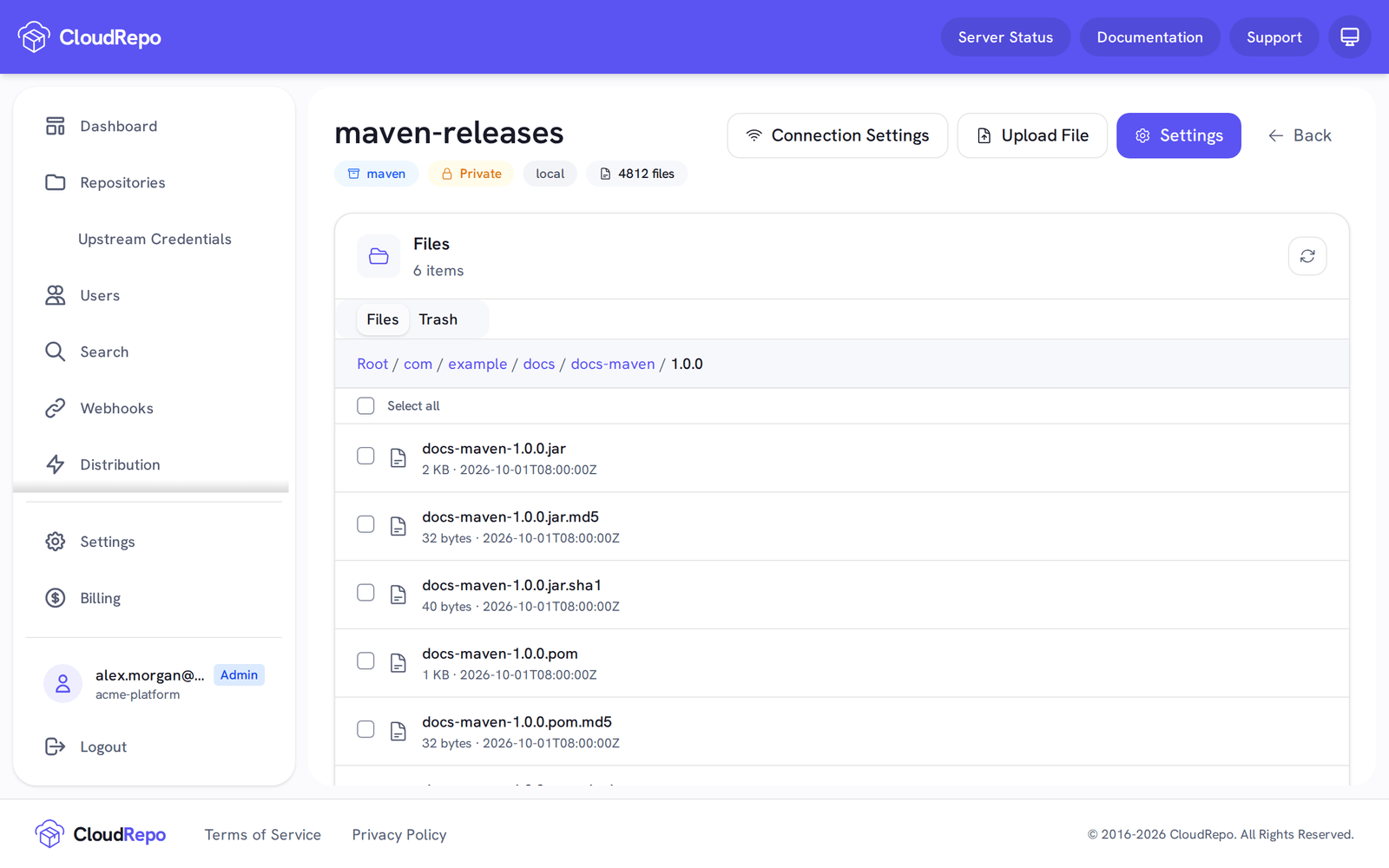
machine your-org.mycloudrepo.iologin you@example.compassword YOUR_REPOSITORY_TOKENcurl --netrc --fail --output docs-maven-1.0.0.pom \ https://your-org.mycloudrepo.io/repositories/your-repo/com/example/docs/docs-maven/1.0.0/docs-maven-1.0.0.pomThe path under the repository URL is your artifact’s group (dots become slashes), its name, its version and the file. The artifact is also listed in the repository in the admin portal.
Snapshots and releases
Section titled “Snapshots and releases”A version that ends in -SNAPSHOT can be published again and again, so your CI can deploy each build.
A release version, one that does not end in -SNAPSHOT, is published once: CloudRepo refuses a second
publish to the same coordinate with 409, and the artifact already there stays as it is. Maven rewrites
maven-metadata.xml and its checksum files on every publish, so the refusal does not apply to them. The
setting behind this, Overwrite Protection, is on by default; see
Overwrite Protection.
When a publish is refused
Section titled “When a publish is refused”Maven prints only the status line, such as status code: 409, reason phrase: Conflict (409), and not
the explanation CloudRepo sends with it. Check these in order:
- 401 Unauthorized. The credential was refused. The username must be the email address of the account that created the token, and the password the token itself. A token that is expired or revoked fails the same way: the Repository Tokens page in the admin portal shows its status.
- 403 Forbidden. The token cannot publish here. A Read only token cannot publish at all, and a token reaches only the repositories ticked when it was created. Use a Read + write token that includes this repository.
- 409 Conflict. You published a release version that is already in the repository. Nothing is
broken: CloudRepo refuses to replace a release on purpose. Publish a new version, or use a
-SNAPSHOTversion while you iterate. If the repository is meant to accept republished releases, turn Overwrite Protection off in its settings, knowing that a build that resolved that version yesterday can then get different bytes today. - 413 Request Entity Too Large. One file is over 50 GB (50,000,000,000 bytes), the most a single file can be.
More: Repository tokens, for every client’s credential; Publish Gradle artifacts, if Gradle builds your project; and Maven repositories, for resolving dependencies and proxies.