Python Repositories
Upload Python packages to CloudRepo with twine and install them with pip. CloudRepo serves the same index format and upload API that pip and twine use with PyPI, so each tool needs only an address and a credential.
Before you start
Section titled “Before you start”- A Python repository. If you have none, see Creating a Repository.
- A repository token that reaches it, with Read + write if you will upload. See Repository Tokens: Create One and Authenticate. The username is the email address of the account that created the token, and the password is the token.
- The Connection Settings of the repository show its URL with your names filled in.
Upload and install
Section titled “Upload and install”1. Put the upload credential in ~/.pypirc. twine reads the repository address and credential
from this file. Use the repository URL without /simple/. The @ in your email address needs no
encoding here:
[distutils]index-servers =    cloudrepo
[cloudrepo]repository = https://your-org.mycloudrepo.io/repositories/your-repousername = you@example.compassword = YOUR_REPOSITORY_TOKEN
2. Build and upload. You need a project that builds a wheel or a source distribution, usually
from a pyproject.toml (the Python Packaging User Guide
covers that), and twine installed (pip install twine):
pip wheel . --no-deps -w disttwine upload --repository cloudrepo dist/*Expected: twine finishes without an error. The file is then in the repository, and the admin portal shows it.
3. Install. pip takes the credential inside the index URL, and the @ in your email address is
written %40 there. Set the URL in the environment rather than passing it on the command line:
export PIP_INDEX_URL="https://you%40example.com:${CLOUDREPO_TOKEN}@your-org.mycloudrepo.io/repositories/your-repo/simple/"pip install my-packageTo keep it for every install, put the same URL in ~/.config/pip/pip.conf (pip.ini on Windows):
[global]index-url = https://you%40example.com:YOUR_REPOSITORY_TOKEN@your-org.mycloudrepo.io/repositories/your-repo/simple/The /simple/ path, with the trailing slash, is the standard simple-API index URL that pip, Poetry
and uv expect. The bare repository URL also serves the index, but use /simple/ for installs.
twine uploads to the bare repository URL, as in ~/.pypirc above.
Install private and public packages together
Section titled “Install private and public packages together”Install your private packages from CloudRepo alone. Anyone can publish a package on PyPI under your private package’s name, and an install that can read PyPI as well may install theirs instead.
pip cannot tie a package to an index. Given a second index (--extra-index-url, the
extra-index-url key in pip.conf, or PIP_EXTRA_INDEX_URL), pip reads both as one and installs
the highest version it finds in either. An exact == pin does not help: when both indexes have that
version, pip can take PyPI’s copy. So install in three steps, with one index each:
# Step 1: public packages, from PyPI (pip's default index)pip install -r requirements.txt
# Step 2: private packages, from CloudRepo and nothing elsepip install -r requirements-private.txt
# Step 3: your own project, last, without its dependencies (steps 1 and 2 installed them)pip install --no-deps -e .
requirements-private.txt makes CloudRepo the only index for that command. pip fills in
${CLOUDREPO_USERNAME} and ${CLOUDREPO_TOKEN} from the environment, so the file holds no
credential and is safe to commit or copy into an image:
--index-url https://${CLOUDREPO_USERNAME}:${CLOUDREPO_TOKEN}@your-org.mycloudrepo.io/repositories/your-repo/simple/my-package==1.0.0Step 2 on its own checks that CloudRepo alone serves your private packages:
pip install -r requirements-private.txt- Use the URL of the repository that hosts your private packages, not one that proxies PyPI. A plain
email works in
CLOUDREPO_USERNAME: pip splits the credential from the host at the last@, and it unquotes%40too. - Nothing step 1 installs may depend on a private package, your own project included: pip would
fetch that private package from PyPI in step 1. Keep private package names, and
.or-e ., out ofrequirements.txt, and install your project last with--no-deps. - Step 3 still builds your project in an isolated environment, which pip fills from its default
index, PyPI. If
[build-system] requiresnames a private package, put it inrequirements-private.txt, put the public build requirements (such assetuptools) inrequirements.txt, and run step 3 aspip install --no-deps --no-build-isolation -e .. - List the public packages that your private packages depend on in
requirements.txt. Step 2 then finds them installed. If one is missing, step 2 fails rather than looking for it on PyPI.
A requirements file with hashes protects something else. With
pip install --require-hashes -r requirements.txt, pip installs only files whose SHA-256 you
recorded, so a file published later under the same name and version is refused, whichever index
serves it. Hashes do not choose the index: with two indexes the install can stop with a hash error
instead of installing your copy. Record them from an install that read CloudRepo alone for your
private packages, because a hash taken from PyPI’s copy protects PyPI’s copy.
uv and Poetry can tie a package to an index, so they need no second step:
- uv: an index with
explicit = trueand a[tool.uv.sources]entry for each private package. See Pin private packages in a project. - Poetry: a source with
priority = "explicit"andsource = "cloudrepo"on each private dependency. See Add CloudRepo as an explicit source.
With both, list every private package as a dependency of your project, including the private packages that your private packages depend on. The pin applies only to the packages you list, and these tools look up any other name on PyPI.
Python Repository Settings
Section titled “Python Repository Settings”Overwrite Protection
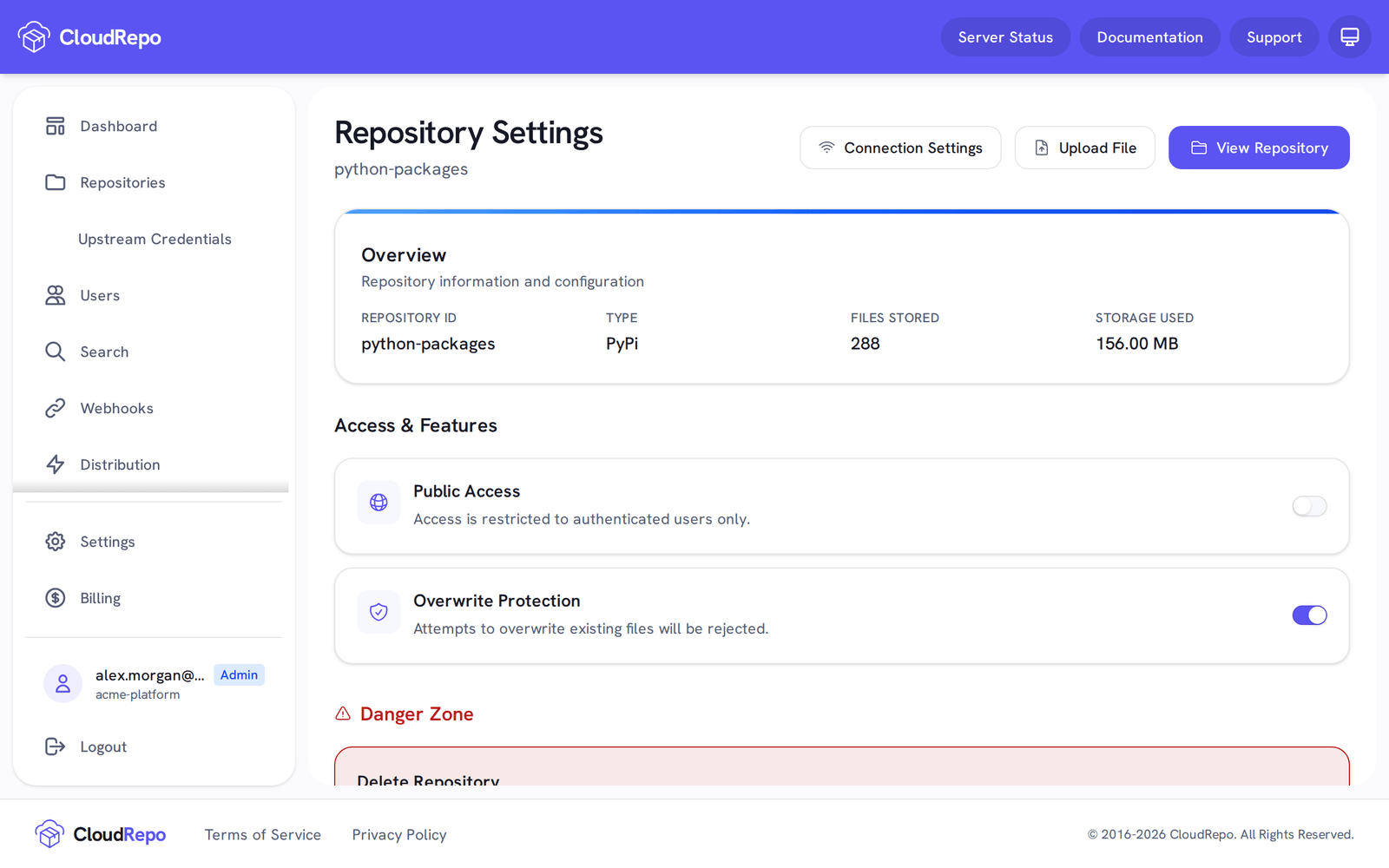
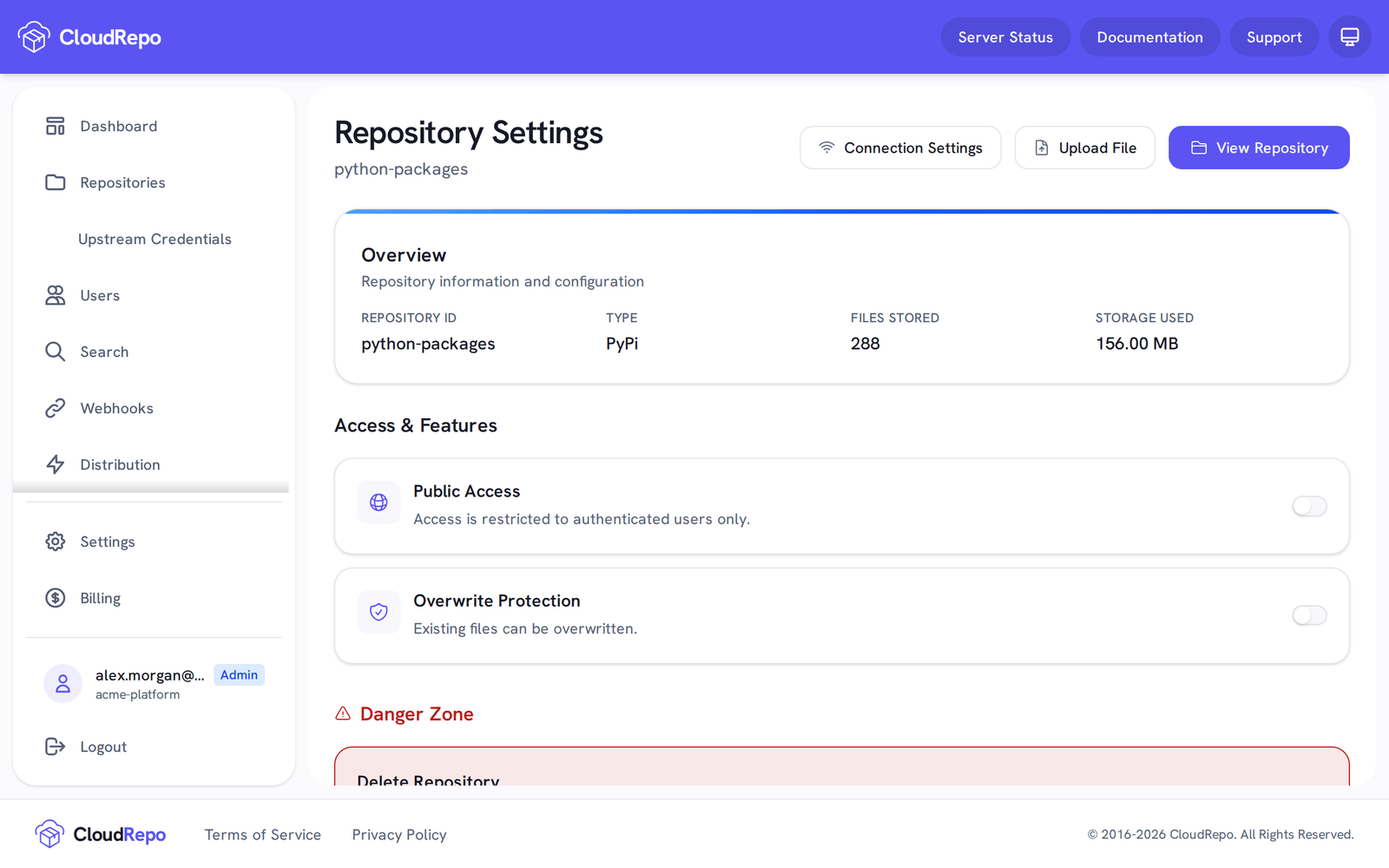
Section titled “Overwrite Protection”Overwrite Protection is on by default for a Python repository: a repository that has not turned it
off is protected, whenever it was created. With it on, uploading a file to a path that already holds
one is refused with 409 Conflict, and the stored file is left as it is.
twine prints only the status line, HTTPError: 409 Conflict. Run the upload again with --verbose to read
the explanation CloudRepo sends with it:
Attempting to Overwrite an existing file. Overwrites have been disabled for this repository.
Python has no mutable-version convention, so there is no equivalent of Maven’s -SNAPSHOT escape
hatch here: no file is exempt. To republish, either use a new version number or turn Overwrite
Protection off for that repository.
Overwrite Protection is a per-repository setting, so a repository that is meant to accept overwrites can have it turned off. Toggle it in the Repository Settings of your Python repository. For how the setting behaves across every repository type, see Overwrite Protection.
Other Settings
Section titled “Other Settings”All Standard Settings apply.